
SHSATlab
← All articles
SHSAT Prep10 min read

Complete Guide to SHSAT Question Formats on Form A & B: TEIs, Drag-and-Drop, Grid-In & Multi-Select

Most SHSAT prep focuses on multiple choice — but the digital test includes Technology-Enhanced Items (TEIs) your child has never practiced on paper. Here is every TEI format on Form A and Form B, with screenshots from SHSATlab.

S

SHSATlab


Loading…
Listen to this article
Speed

Key Takeaways

  • The digital SHSAT includes TEI formats — multi-select, drag-and-drop, grid-in, inline dropdowns, and clickable text — that paper prep books cannot replicate.
  • Getting one of two multi-select answers wrong and one right earns zero credit on the real test.
  • Students who only practice A/B/C/D on paper lose time on test day figuring out how to interact with the screen.
  • SHSATlab's free practice test replicates Form A TEI formats so students build interface fluency before October.

Most SHSAT prep focuses on multiple choice. But the real digital test includes Technology-Enhanced Items (TEIs) — question formats that require students to interact with the screen in ways a paper test never could. If you've never practiced them, they can catch you off guard.

Here's what actually shows up based on the live 2025 Form A and Form B digital tests:

ELA: SHSAT TEI types

Multi-select — "Select the two correct answers" with checkboxes instead of radio buttons. Getting one right and one wrong = zero credit.
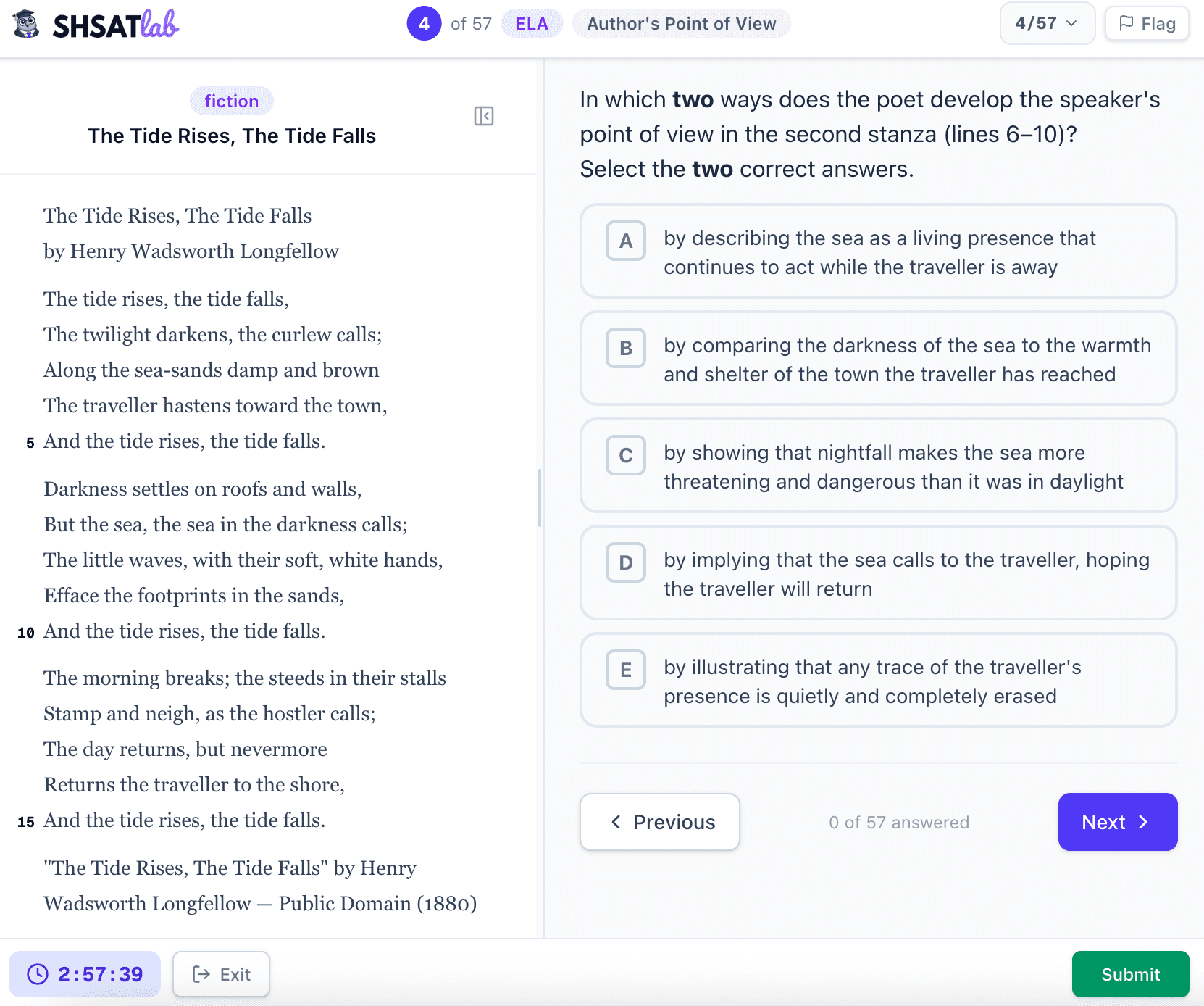
SHSAT ELA multi-select question — select the two correct answers

Drag-and-drop categorize — sort quote chips into two labeled boxes, such as "Nature is Permanent" vs. "Human Creations Detract." Multiple chips can go in each box.
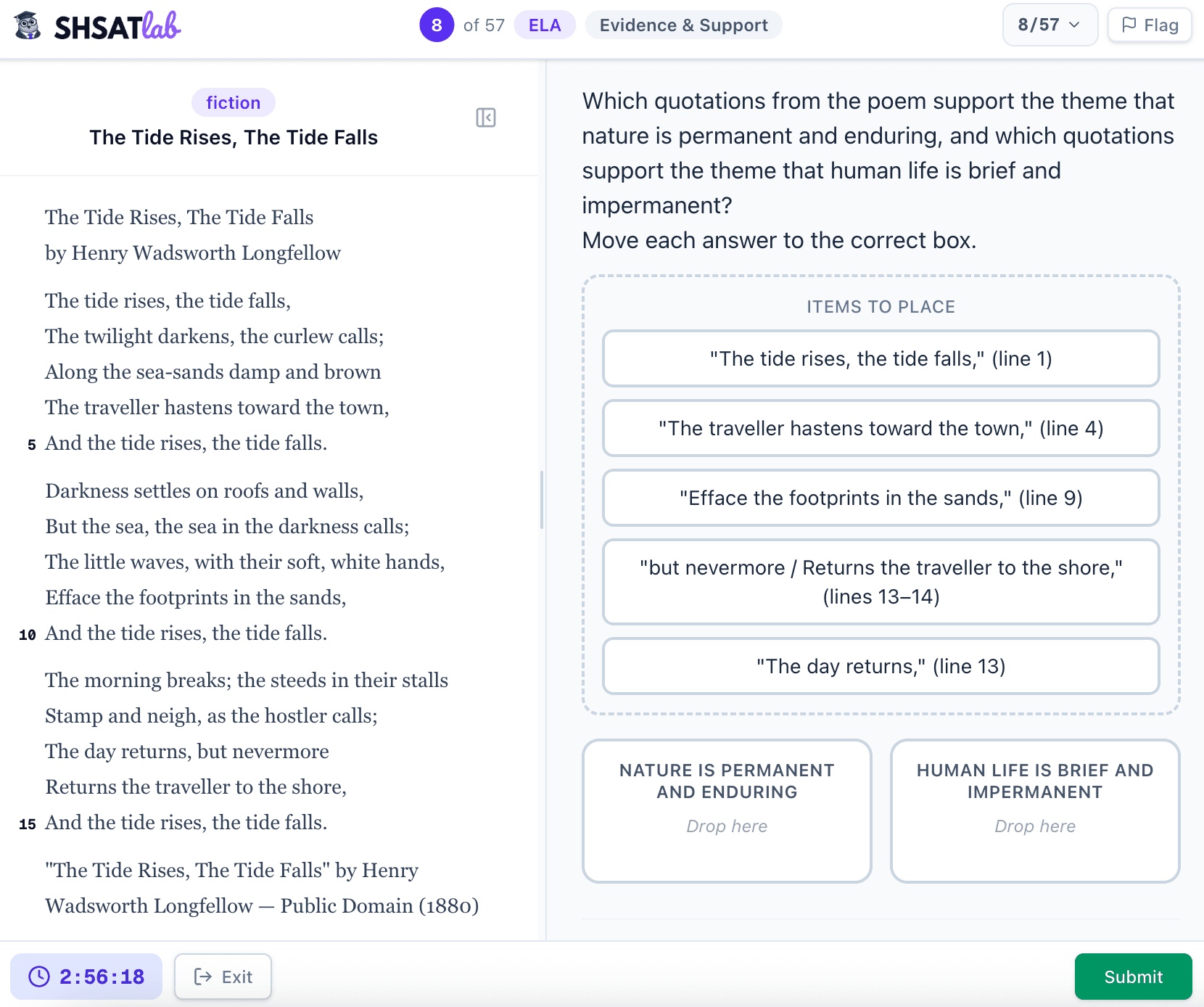
SHSAT ELA drag-and-drop categorize — sort quote chips into two theme boxes

Drag-and-drop single-target — move one answer into one blank, such as transition words or error-in-construction labels.
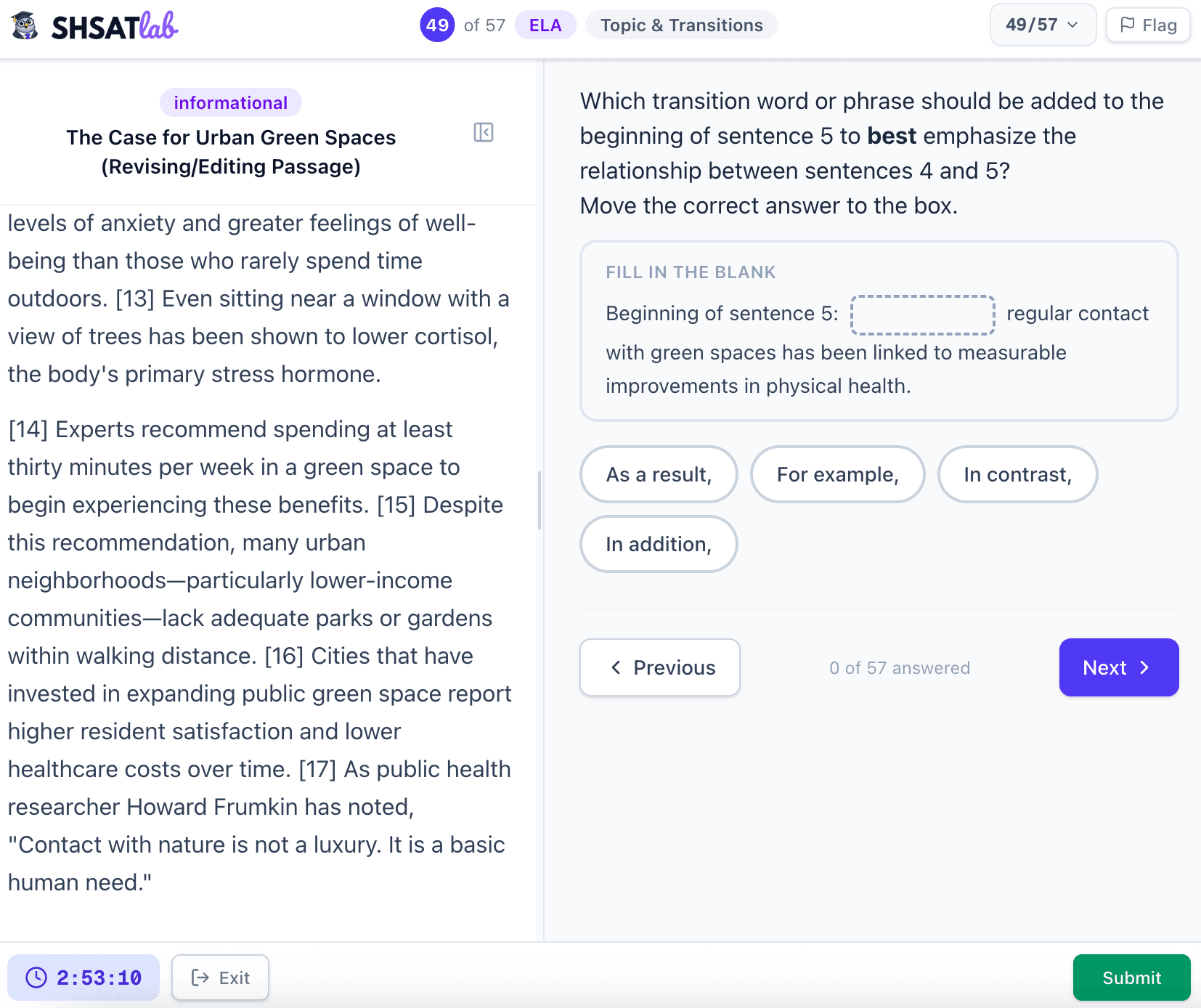
SHSAT ELA drag-and-drop single-target — move one answer chip into one blank

Clickable text selection — students select the exact part of a sentence or paragraph that contains an error. Instead of choosing A/B/C/D, they have to click the word or phrase directly in the passage.
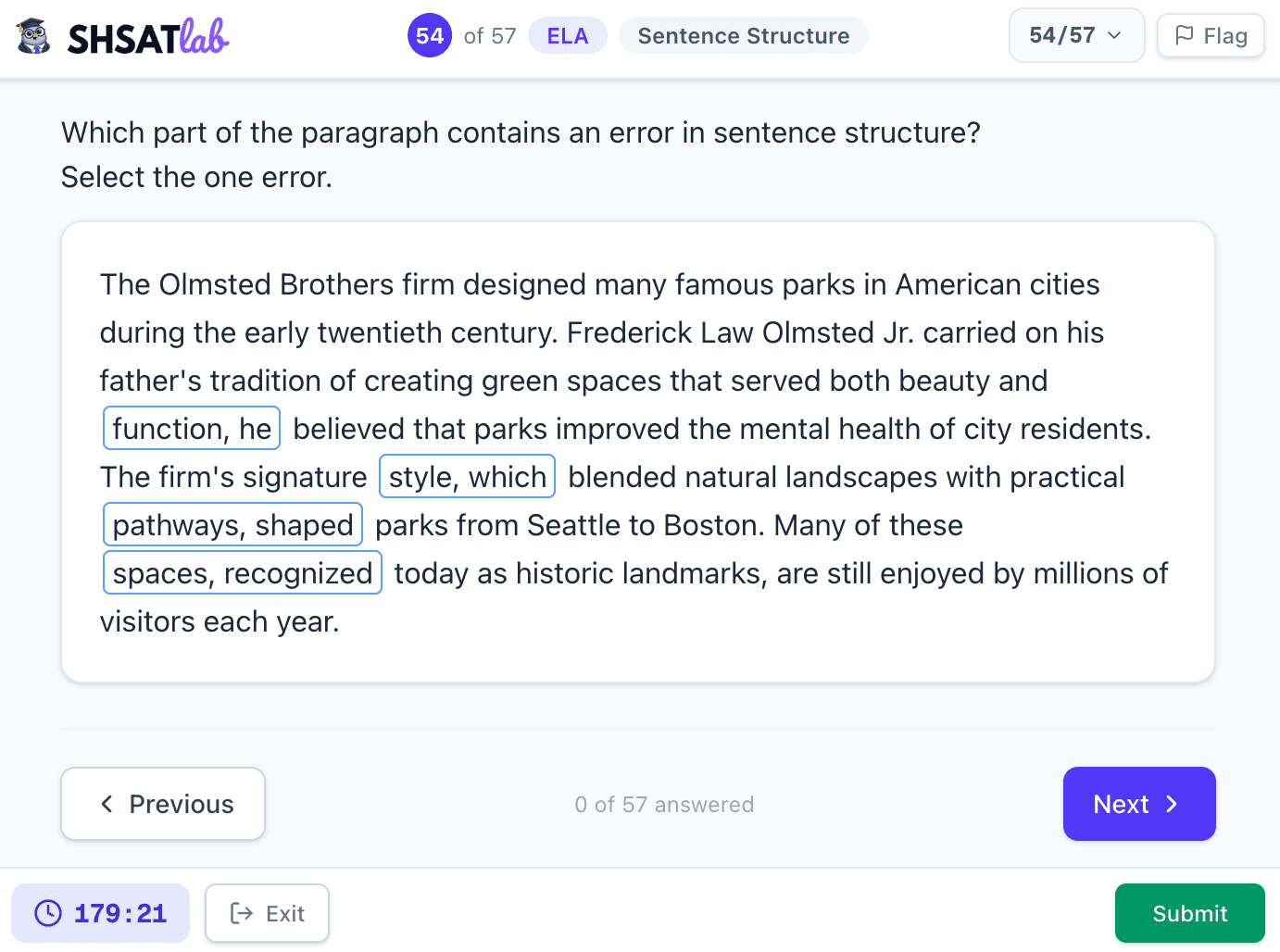
SHSAT ELA clickable text selection — click the word or phrase that contains the error

Math: SHSAT TEI types

Grid-in — type a numeric answer directly with no answer choices. Negatives and fractions are valid.
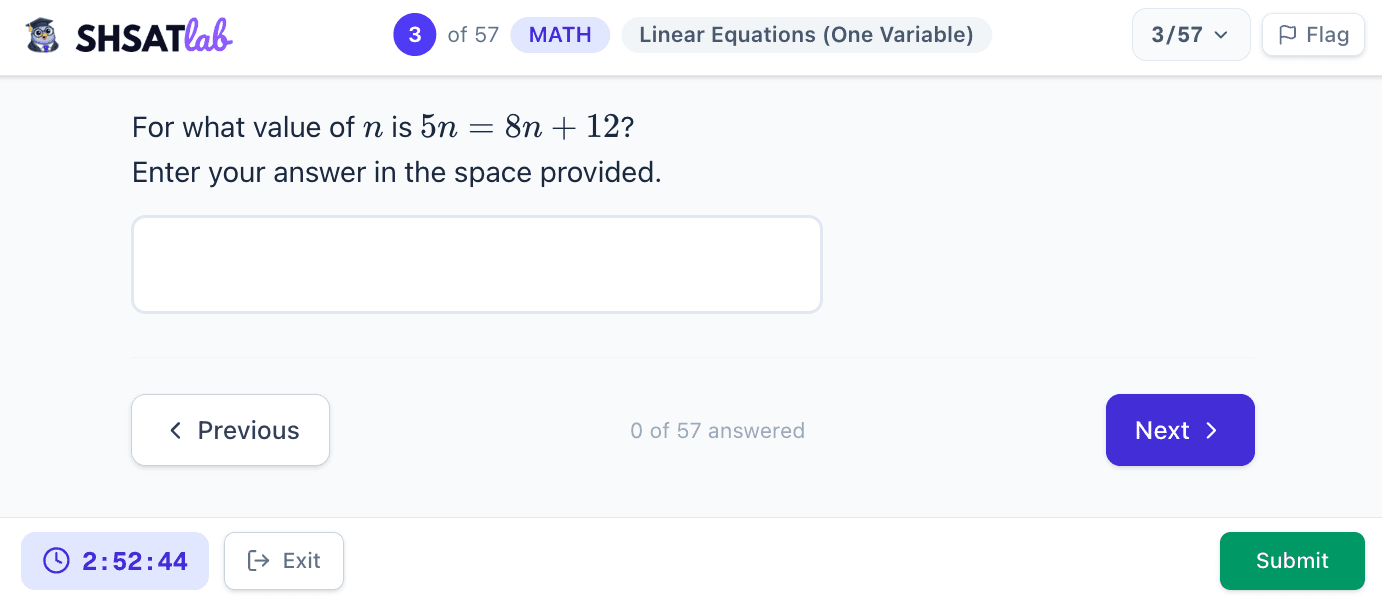
SHSAT Math grid-in — type a numeric answer directly with no answer choices

Inline dropdown — select from small menus embedded in a sentence or equation chain.
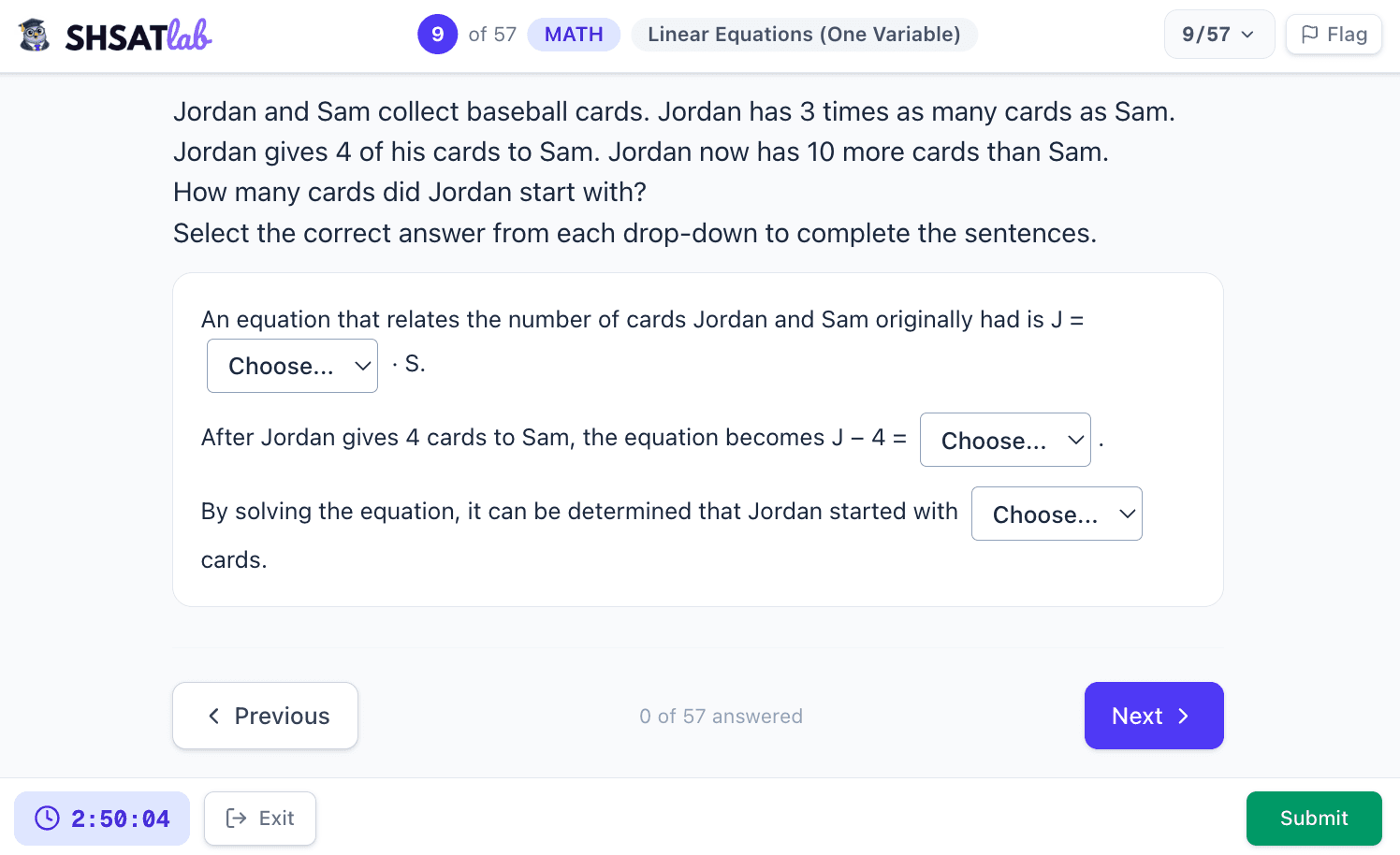
SHSAT Math inline dropdown — select answers from menus embedded in a sentence

Equation fill drag-and-drop — drag number or expression chips into specific blanks in an equation.
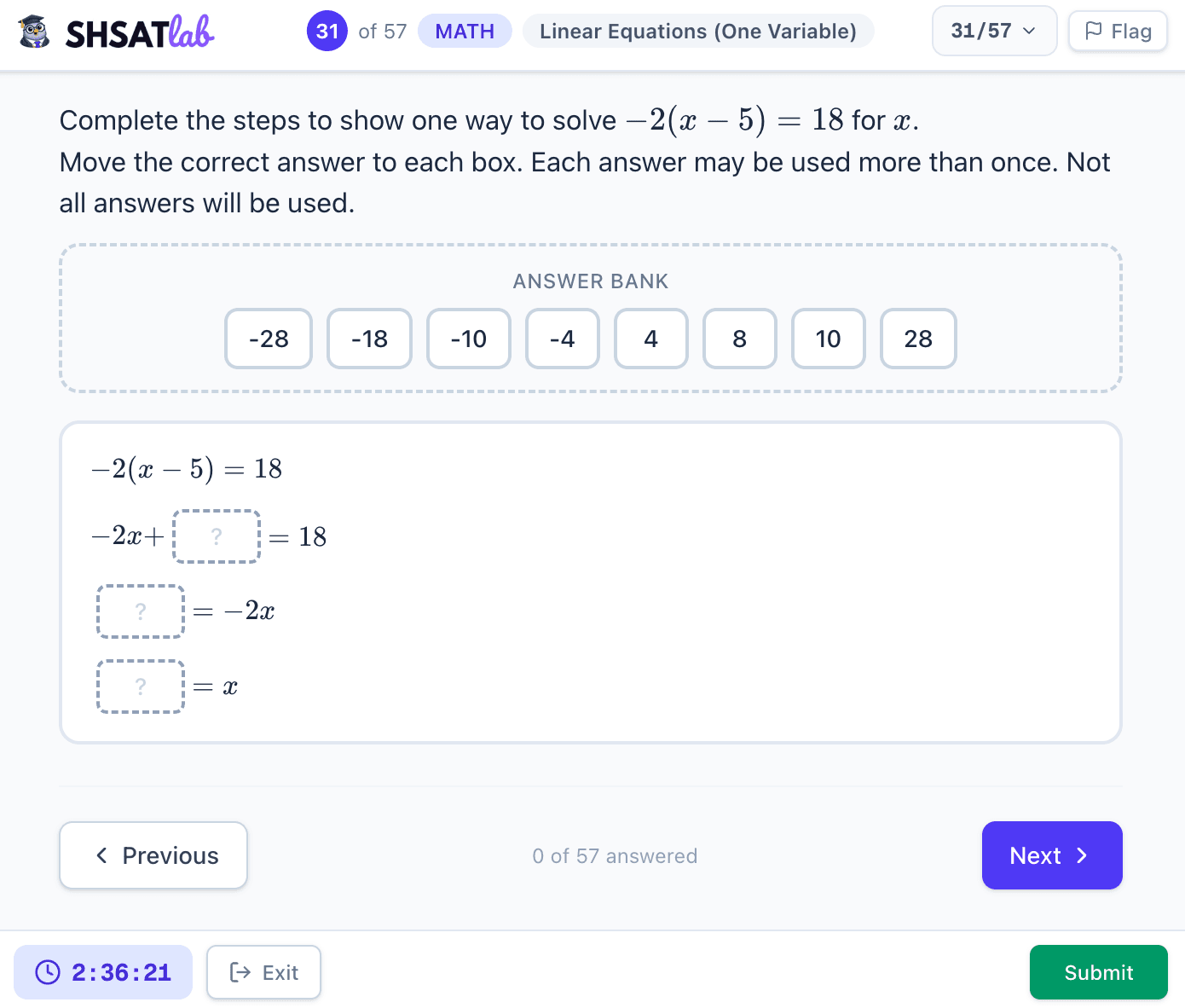
SHSAT Math equation fill drag-and-drop — drag number chips into blanks in a multi-step equation

Multi-select — "Select all correct answers" where multiple options can be correct. Partial credit does NOT apply.
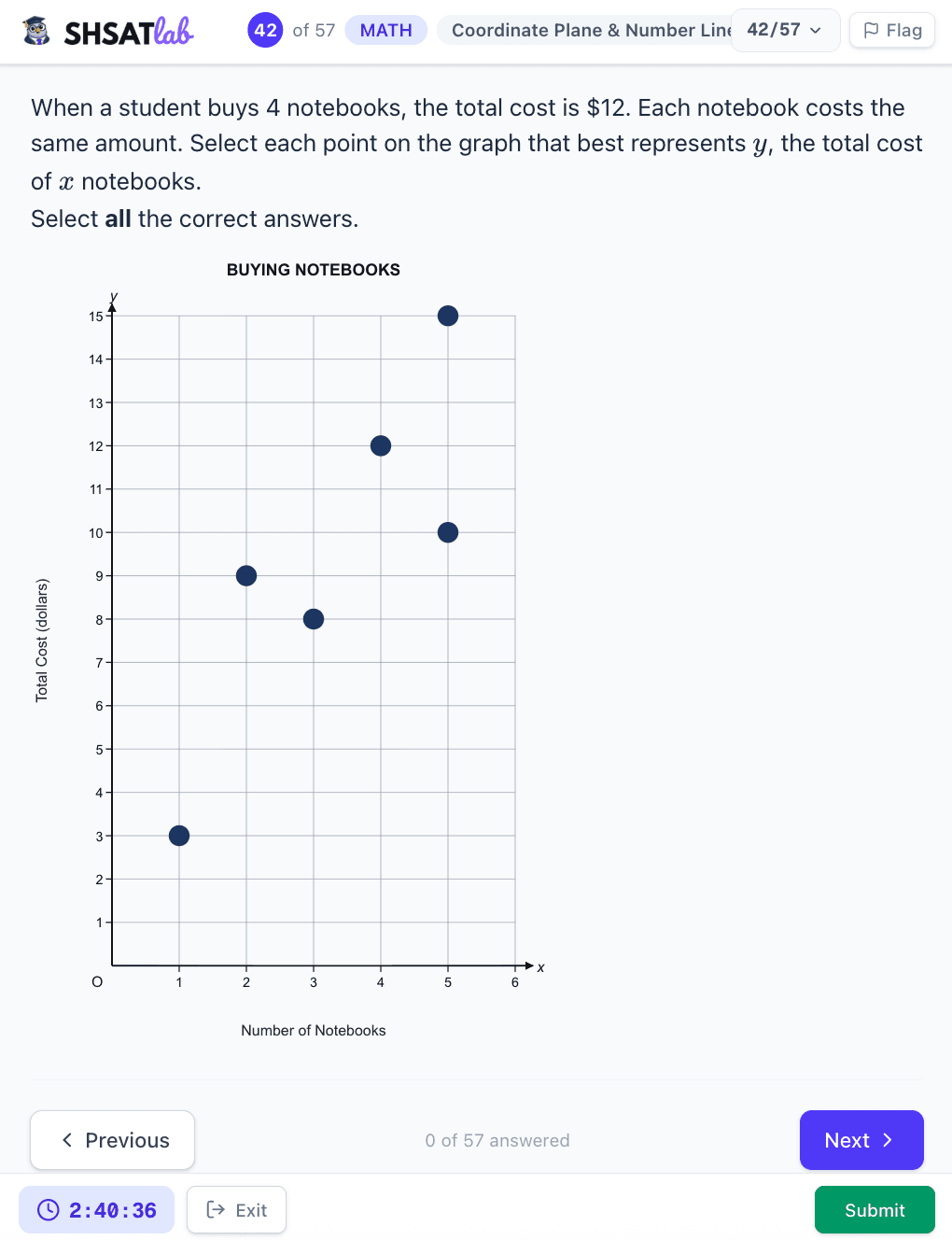
SHSAT Math multi-select on a graph — select all correct points, no partial credit

Number line / graph drag — place a point or drag a solution set onto a visual.
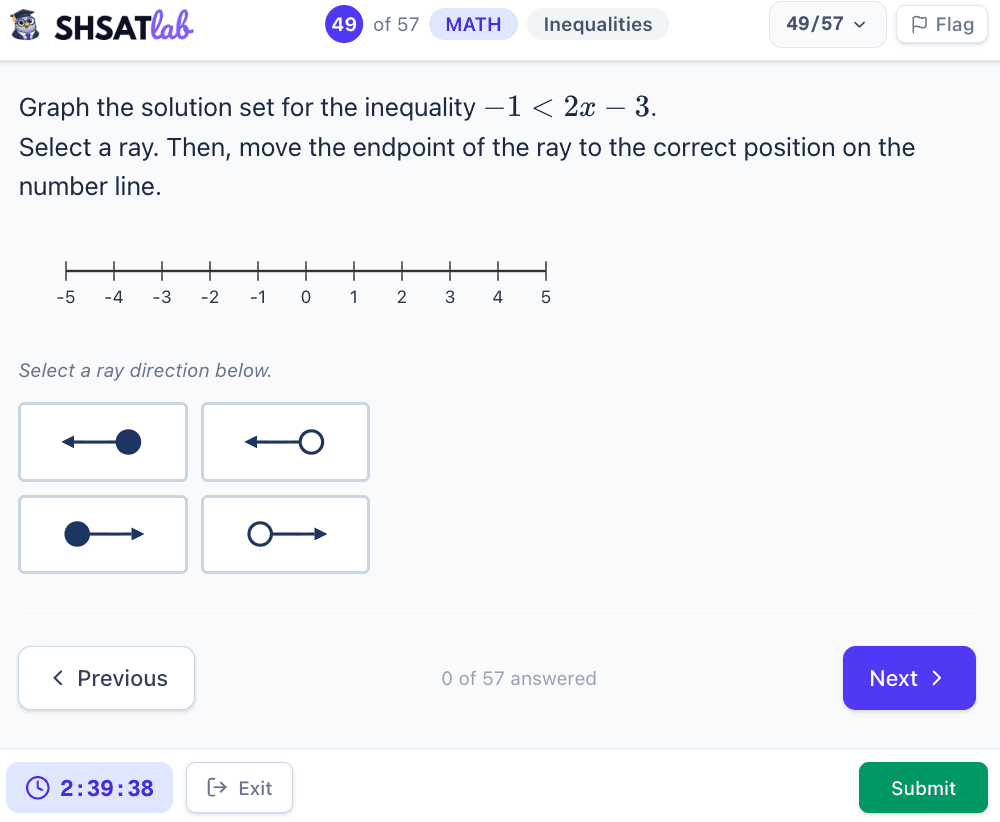
SHSAT Math number line drag — drag a solution-set ray to the correct position

Grid-in / numeric keypad — type a numeric answer directly with no answer choices. The digital test uses an on-screen keypad for whole numbers, decimals, negatives, and fractions.
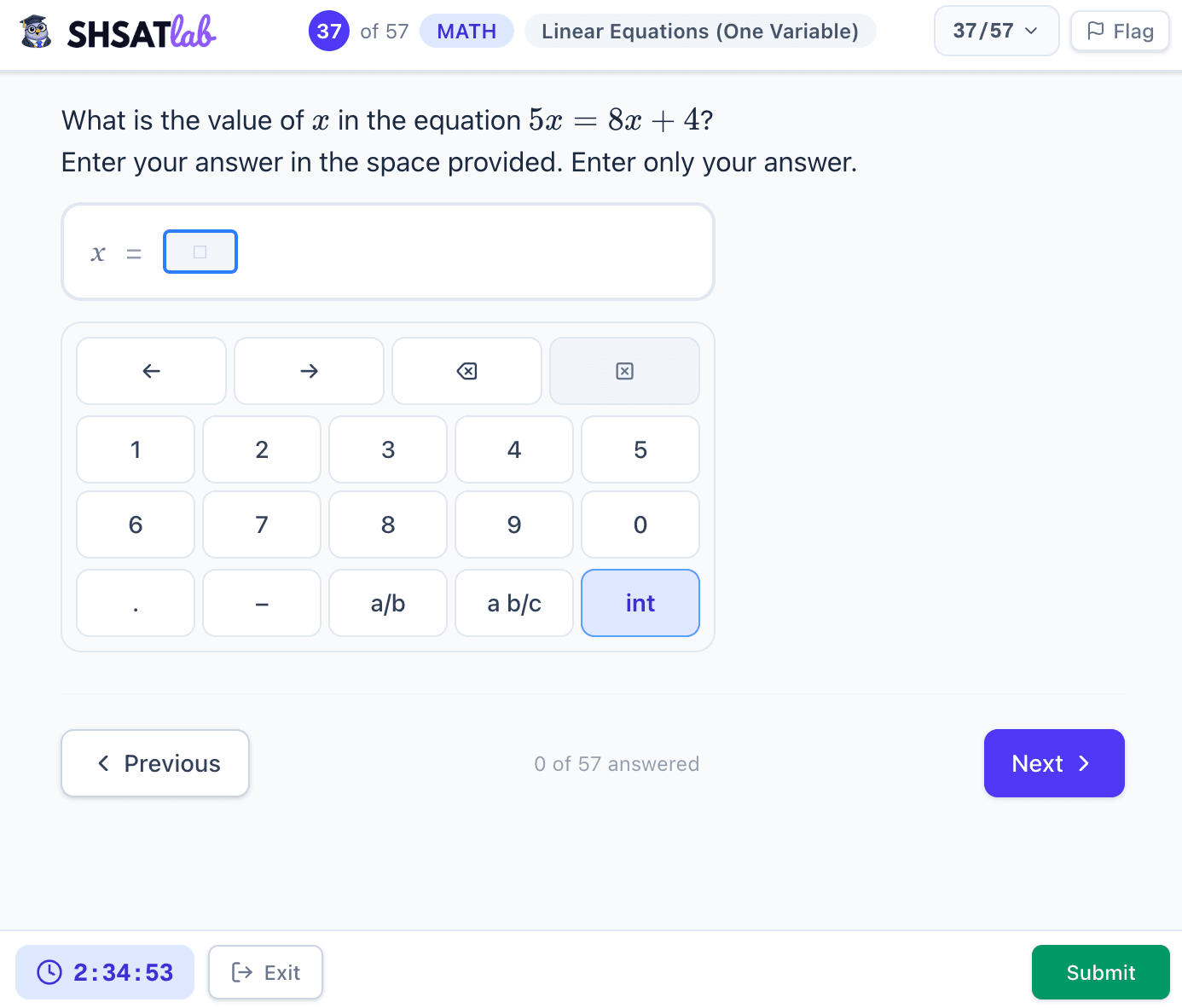
SHSAT Math grid-in with on-screen numeric keypad for whole numbers, decimals, negatives, and fractions

Why this matters for prep

If you practice only on paper or standard A/B/C/D apps, you've never practiced the actual input mechanic. On test day, figuring out how drag-and-drop works while the clock is running is not where you want to be.

We built our free diagnostic test at SHSATlab specifically to replicate these formats — the drag chips, the grid-in boxes, the inline dropdowns — so the interaction feels familiar before you sit down for the real thing.

It's 114 questions, has a full 3-hour timer, and your score saves automatically with a topic breakdown.
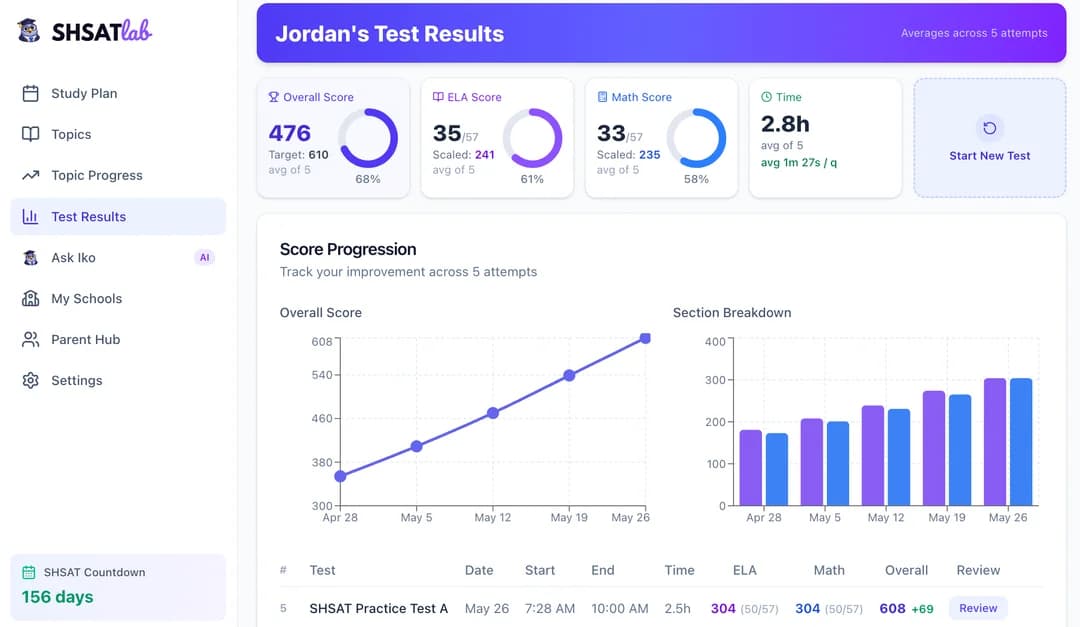
SHSATlab free practice test dashboard with score estimate, topic breakdown, and time analysis

If you've been prepping without TEI practice, it's worth a run-through before test day.

See where your child actually stands

Take the free SHSAT diagnostic. You get a score estimate, a topic-by-topic breakdown, and a study plan — all from one test. Free to start.